 SixOnFive
Getting started
Get the SixOnFive app, sign in with an emailed code, join your team, and ask SixOnFive a question.
SixOnFive is a phone app for scoring water polo games play by play, from the stands, and sharing them live with the team. It works without signal at the pool and catches up when signal comes back. It's free for now.
Who's who on a team
| Role | Who it's for | What they can do |
|---|---|---|
| Head Coach | One per team | Everything, including handing the Head Coach role to someone else and removing Staff |
| Staff | Team manager, assistant coach, team parent who helps | Almost everything: roster, schedule, settings, invites, approvals, scoring |
| Scorer | A parent the coach trusts to keep stats | Add, start and score games. No roster, settings or people changes |
| Family | Parents, grandparents, friends | See the schedule, results, stats and roster, answer RSVPs, follow games live, and use Messages |
Players don't have accounts. Only adults sign in.
Get the app
| Phone | How |
|---|---|
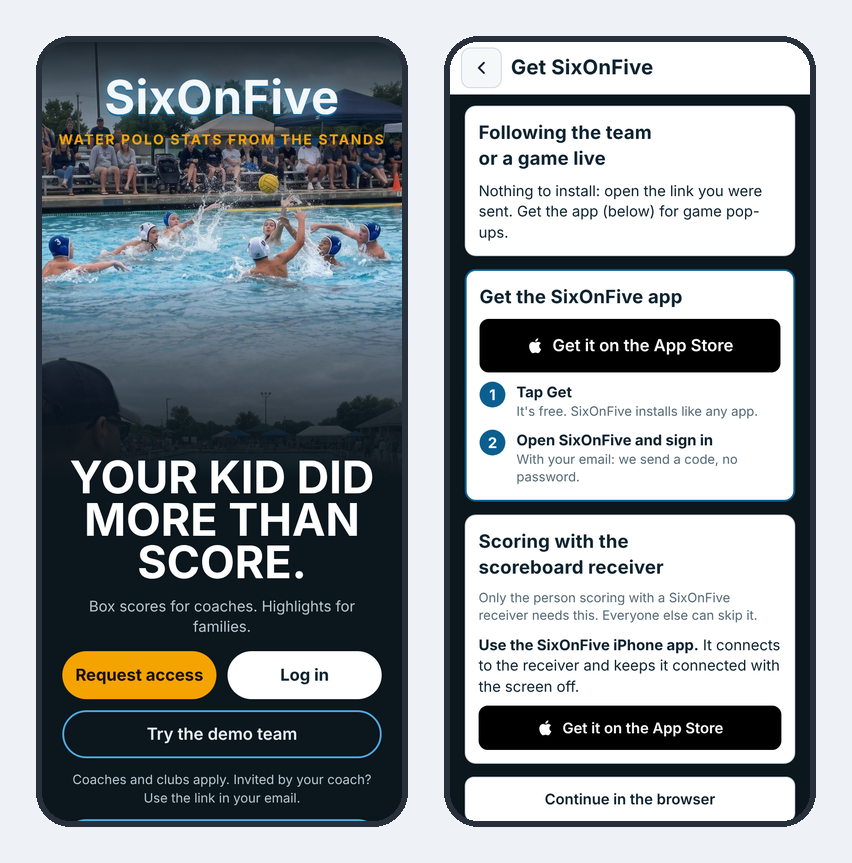
| iPhone or iPad | Get SixOnFive on the App Store. |
| Android | Get SixOnFive on Google Play. While it's in early access it takes three taps, all with the same Google account: join the SixOnFive testers group, tap Become a tester on the testing page, then install it from Google Play. The same steps are on app.sixonfive.com/get. |
| Any phone or computer | Open app.sixonfive.com in your browser. On a phone you can add it to your home screen. |
The phone apps give you pop-ups when a game starts, RSVP buttons in those pop-ups, and links that open straight in the app. Everything else works the same in the browser.
Add the website to your home screen instead
- Android (Chrome): open app.sixonfive.com, tap the menu ⋮, then Install app or Add to Home screen.
- iPhone (Safari): open app.sixonfive.com, tap Share, then Add to Home Screen, then Add. Sign in from the Home Screen app: on iPhone it keeps its own sign-in, separate from Safari.
Already have the Android app from our website? Your team list shows Help SixOnFive get on Google Play: follow the three steps and Google Play updates the app you have. You keep everything.
If you opened a link inside another app (Gmail, Instagram, Facebook), open it in Safari or your phone's browser first.
Sign in
There's no password. Type your email, and SixOnFive emails you a code. Type the code (or let your phone fill it in) and you're signed in. The code comes from noreply@mail.sixonfive.com; check your spam folder if it doesn't show up within a minute.
Join your team
| You got… | What happens |
|---|---|
| An email invite from the coach or Staff | Open the button in the email and sign in with that same email. You're on the team right away. |
| The team link (shared by the coach) | Sign in, pick your player, and you're on the team. If the coach turned on approval, you wait for their OK. |
| A family link from a parent ("follow Ava's games") | Sign in and you follow that player as Family/friend right away. |
| An "invite another family" link from a parent | Sign in and pick your player. The Head Coach or Staff approve you first. |
When you join, SixOnFive asks Who's your player? Pick your child and whether you're their parent/guardian or a family member/friend. Then it asks whether you want Team Chat and messages: parents usually say on, grandparents and friends often just want the games.
The first time you open the phone app, it asks Get pop-ups on this phone? Tap Turn on so you know when a game starts.
Take the tour
The tour walks you through SixOnFive in about 5 minutes, hands-on, on the made-up demo team. Your own team isn't touched. After you first sign in, Home shows Take the 5-minute tour: tap Start tour, or Not now to keep a small Take the tour card for a week. It's always in Help (Take the tour) and behind the ? on your team's page.
First pick What will you mostly do?
| You pick | Chapters |
|---|---|
| Run the team | Schedule a game, get ready for the game, score a game, follow live, stats after the game, your team (about 6 minutes) |
| Keep score | Get ready for the game, score a game, follow live (about 3 minutes) |
| Follow a player | Follow live, stats after the game, messages and pop-ups (about 3 minutes) |
Each step highlights a real button and waits for your tap. Next moves on (or does the tap for you), Back goes back, and Skip tour stops; Help picks up where you left off. At the end, You're ready offers your next real step, like Add your first game. The tour isn't offered while a game is live on your team.
Try it first
Tap Try the demo team on the opening screen to explore a full made-up season. Everything a real team has is there to try: the schedule with RSVPs and volunteer jobs, game status and delays, scoring, stats and game stories, Messages with topics, private messages, photos and polls, Team settings, and a tournament imported from its sheet. Nothing you do there is sent anywhere, and it stays on your phone.
The slim Demo bar at the top switches between Coach and Parent. Tap ⋯ for Follow a game live, Reset demo (the season goes back the way it started) and Remove demo. You can also follow a demo game live.
Ask SixOnFive
Have a question? Open Help (Account → Help, or any ?) and type it in Ask SixOnFive at the top, or tap the microphone and say it (in the SixOnFive iPhone and Android apps, use the microphone on your keyboard). Tap Ask. The answer comes from this Help, with a link to the article it's from, and Read it reads it out loud.
- From a ? on a screen, it knows where you were, so you can ask "how do I fix this?".
- If Help doesn't cover it, tap Contact support to email us your question.
- If SixOnFive doesn't do something yet, it says so and passes the idea on. Tap Tell me if it's added and leave your email if you'd like one email when it's in the app.
- Questions are kept without your name, so we can make SixOnFive and this Help better. About 20 questions a day each.